Google Play Store PC
Gives you access to any type of Apk Android App on your Windows PC.

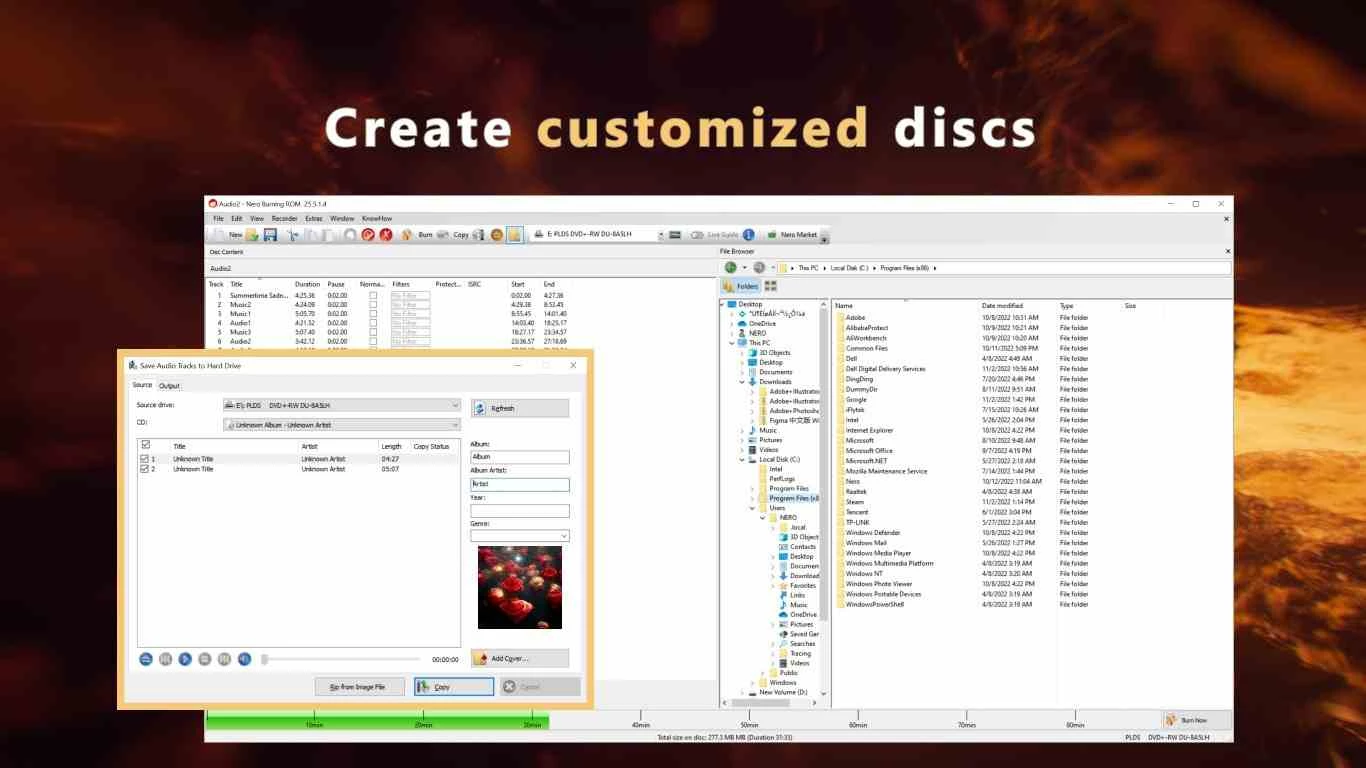
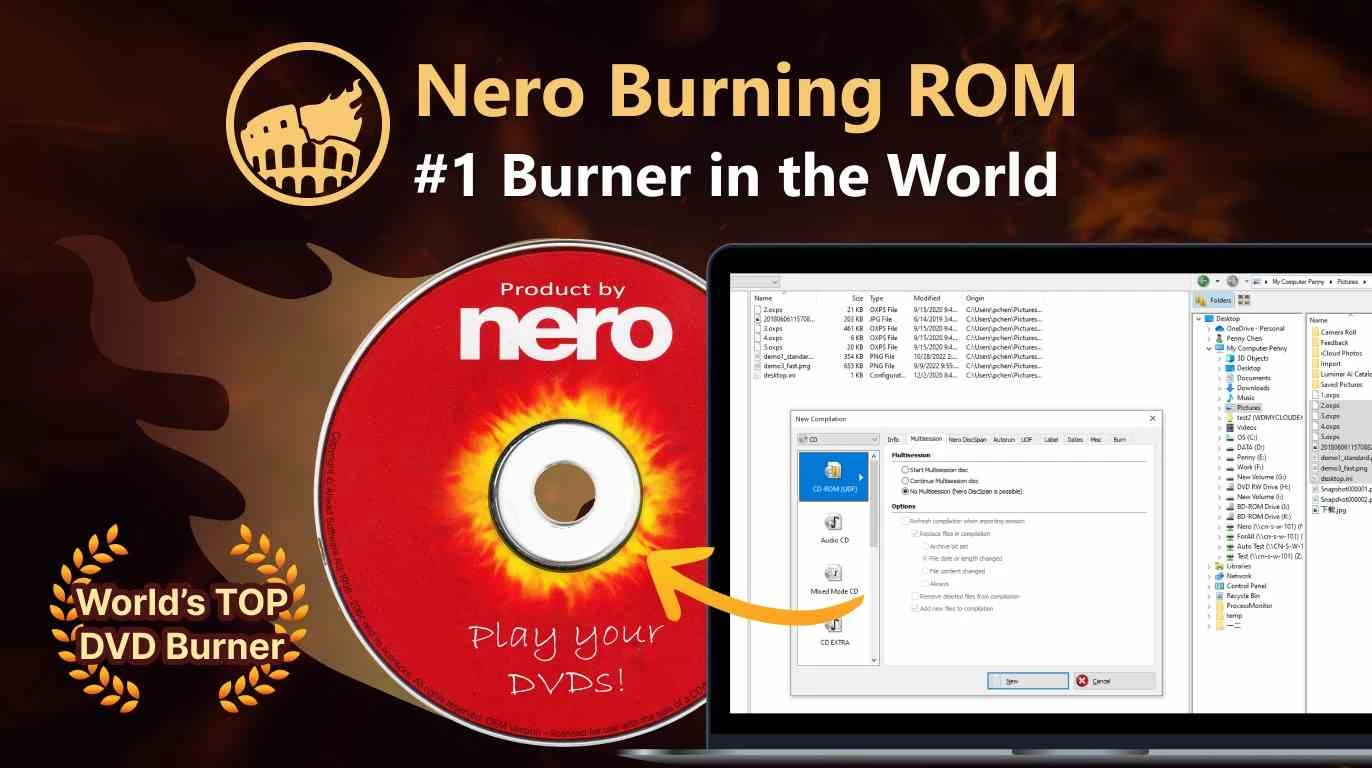
Nero Burning ROM is a go-to and simple-to-use software to manage burning, copying, and ripping content to CDs, DVDs, and Blu-rays as well. It is a free and versatile utility within a smooth, secure, and dependable process to transfer data from local storage to discs. It requires some technical skill, so the new learners couldn’t reliably use it.
The innovative program with a simple interface supports multiple multimedia formats, and allows users to add new compilations while burning the process, and share their masterpiece with others as well. The integration with the digital media library enables users to protect their data on a professional level.
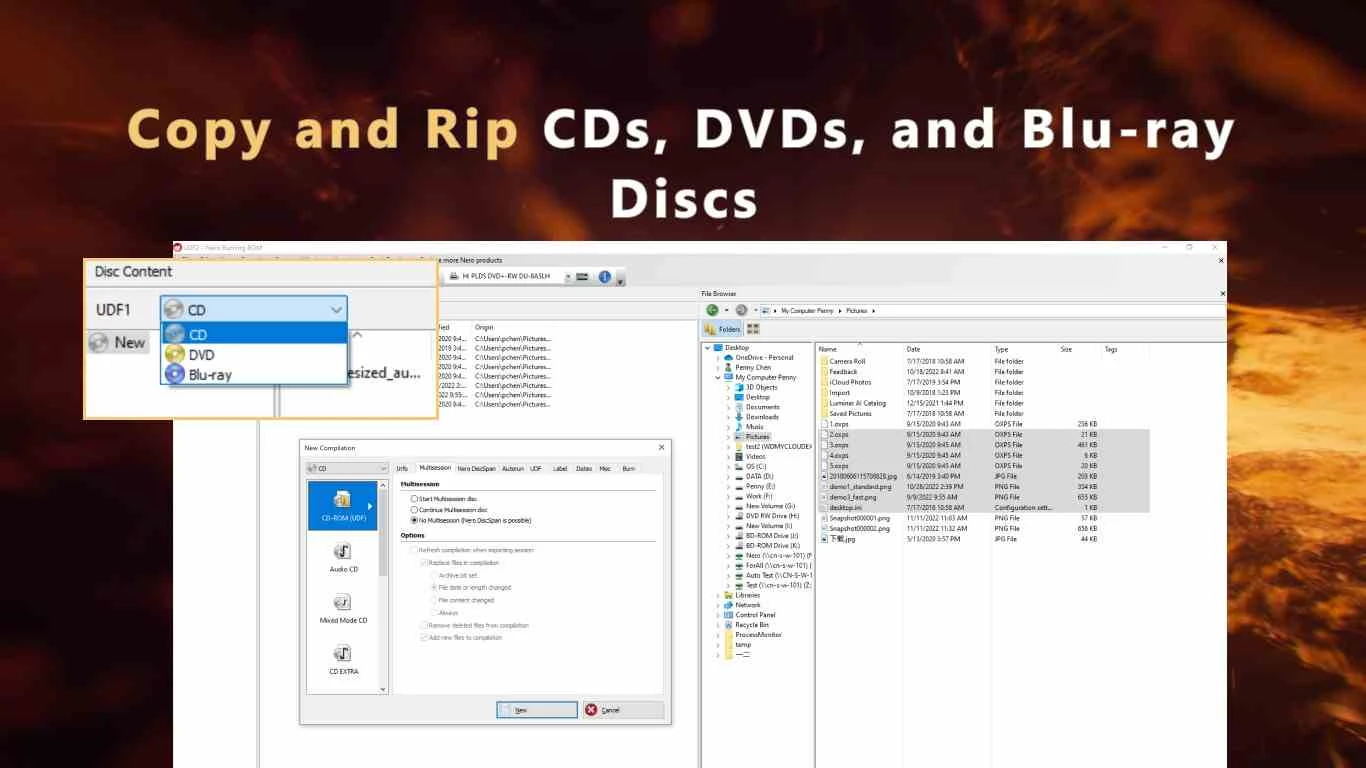
Nero Burning ROM, developed by Nero, is a comprehensive disc burning tool that belongs to the Utilities & Tools category. It manages your multimedia files, including videos, audios, and photos etc, and enables you to create disc images for installing software, games, and so on. It is a simple, fast, and free-to-use tool, and offers seamless compatibility for CDs, DVDs, and Blu-rays.
You can use the awesome utility for compiling mixed CDs, creating backups, and converting the data from old physical media to any modern digital format, so you can use it on any latest machines.
The app, within a tiny installation package, can possible to installed on all Windows versions, including Windows 7, Windows 10, Windows 11, etc. You have to keep an eye on the installation process to avoid the 3rd-party products that are offered by default Nero Free edition. After installation, launch the app, and it will quickly detect all physical discs available on your Windows PC.
The user interface looks similar to other products of Nero while focusing on a single screen. The screen consists of two modes and five configuration tabs to set up your task, such as managing rewritable drives. The entire process is auto, and you can’t manually choose the writing speed as you want. However, you have the option of pre-made presets: Minimum, Safe mode, Automatic, and Maximum. You can select any one, and optimize the writing speed. The entire process is simple to use, such as
The first step is importing media files from your device using folders and files. You also have the option to categorize and create playlists for easy access to your required content.
Import the file, open it to edit, and the respective editing module will open. You can select tools and effects to improve the content. You have the option of previewing your changes before saving your edited file.
Finally, select the type of disc, including CD, DVD, or Blu-ray, and follow the on-screen instructions. You will find multiple customization options for disc settings, add files, and initiate your process of burning a disc.
It is one of the key features that allows users to rip audio from CDs, DVDs, or Blu-rays and get it into their digital library. It makes it possible to mix new compilations of your favorite audio tracks, as well as convert CD files into MP3s. It is one of the innovative features, as MP3 files are smaller and are capable of storing hundreds of audio files, as compared to a CD. You can play these MP3 CDs on all new technologies as well.
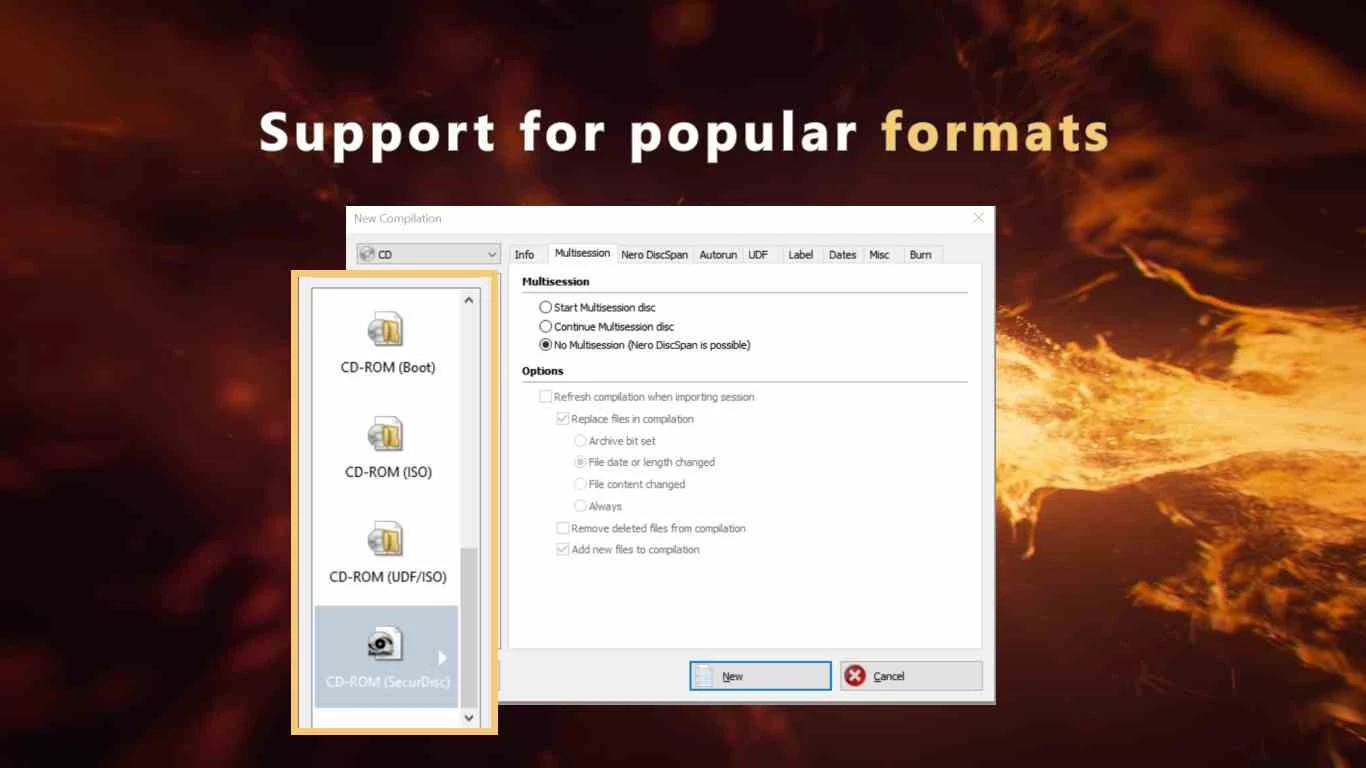
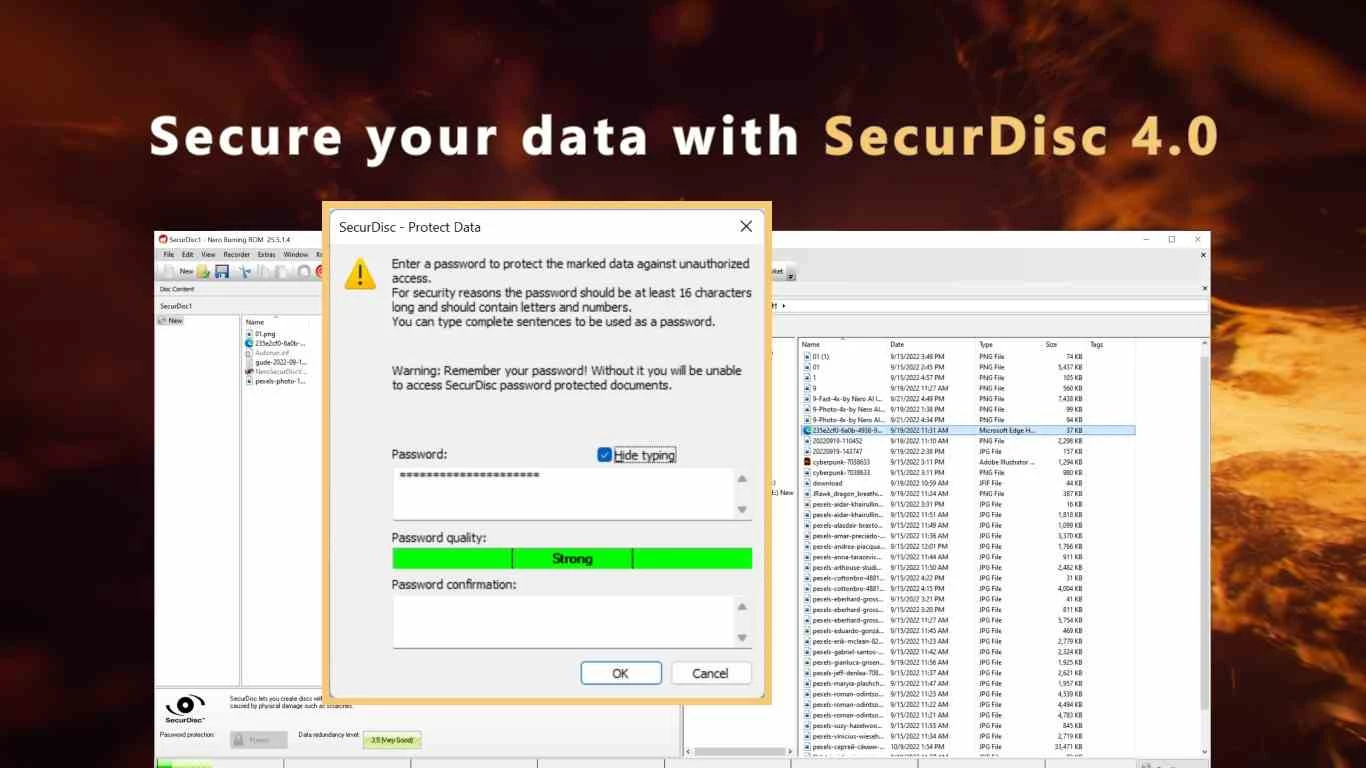
The app also offers the SecureDisc feature that gives you a protected burning process while offering multiple security options such as password protection, 256-bit encryption, and digital signatures. You will be capable of sharing and storing your sensitive files. Moreover, the adjustable data redundancy is available for preserving your data, even in case of a scratched or worn disc. The innovative feature will allow you to back up your important documents or share them with others.
You will find huge support for audio as well as video formats such as FLAC, WMA, OGM, WAV, OGG, MP4, CDA, AC3, AAC, AIF, and AIFF for audio, and for videos, you will find VOB, MOV, MP4, DV, MPEG, ASF, and AVI. This innovative feature allows you to rip your favorite tracks from CDs to any other required formats.
The app offers an enhanced experience while making your burning, ripping, and copying your favorite audio/video tracks. You can organize your media library while adding audio titles, album names, and also offers Gracenote technology to cover art automatically. In the meantime, you can improve your experience while organizing your libraries neatly. Moreover, the availability of free tools, including ImgBurn or CDBurnerXP, offers all basic disc burning requirements.
Nero Burning ROM proves a reliable as well as strong option to manage optical media from simple compilation to encrypted data discs. It offers a simple workflow, as you do not need to be a technical expert. You can manage your media conversion while importing your media files, select the required output format, and adjust additional settings, including resolution, bitrate, etc. Click ‘Start’ for converting your content, and let the tool complete the entire process. Likewise, you can connect the tool with multiple social media accounts and cloud storage services, and share your required files while specifying your privacy settings, and upload them right from the app.
Pros
Cons

Gives you access to any type of Apk Android App on your Windows PC.

PC App Store download, install, and keeps up-to-date your PC programs
free emulator to play Android apps on your pc with extra performance, reliability

Bijoy Bayanno the most powerful software to write Bengali language on PC
Media Creation Tool is upgrading and installing Windows 10 bootable installed disks.
Rufus easily change your USB Flash to a bootable ISO flash drives.